
The Complete Guide to What You Can Do with ChatGPT | Easy-to-Understand Explanations on Everything from Writing and Searching to Images, Audio, and Organizing Documents
We’ll carefully organize and explain everything ChatGPT can do—from writing, summarizing, searching, and image generation to voice conversations, file analysis, learning, and business applications.
12 min read
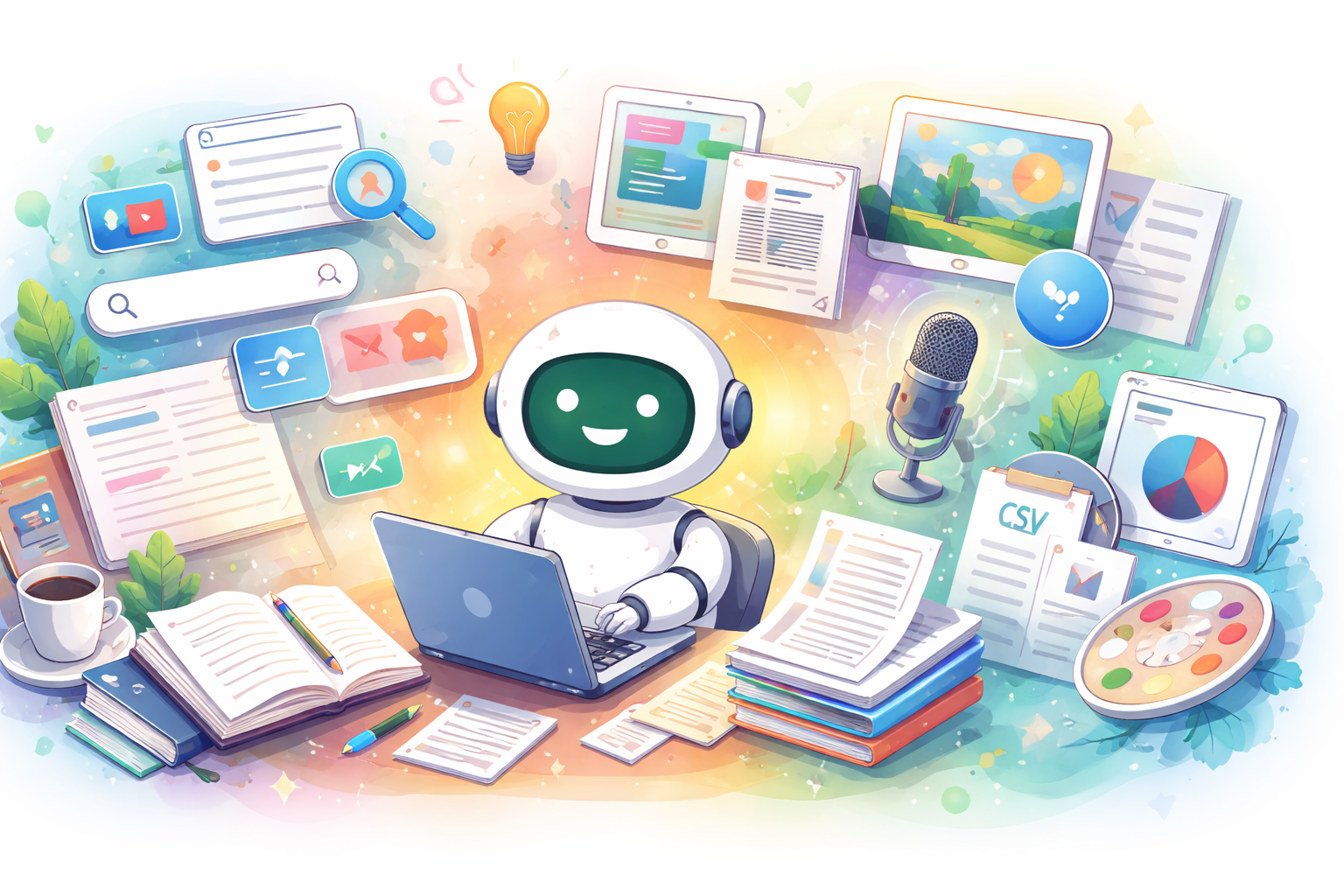
Are you wondering, “What exactly can ChatGPT do?” “Isn’t it just for answering questions?” or “Is the free version enough?” In fact, ChatGPT isn’t just a conversation tool—it’s an AI with a wide range of applications, including writing, summarizing, translating, generating images, voice conversations, file analysis, web searches, and even learning support. What’s more, its features are being updated at a rapid pace. This guide organizes what ChatGPT can do by use case and explain it in a way that’s easy for beginners to understand. Let’s take a look at the benefits, things to keep in mind, and specific examples so you can find the best way to use it for yourself.
The Big Picture of What ChatGPT Can Do
First, to sum it up, ChatGPT is a comprehensive AI assistant that helps you get things done through conversation. It covers a wide range of tasks—not just answering questions, but also writing, summarizing, translating, brainstorming, organizing materials, and utilizing images and audio.
What Are the Main Categories of What It Can Do?
- Answer questions
- Write, edit, or condense text
- Brainstorm ideas
- Translate
- Assisting with learning
- Interpreting tables and documents
- Analyzing files
- Searching the web for the latest information
- Generating images and describing them based on visuals
- Conversing via voice
- Organizing long-term projects
- Customizing the experience for the user
ChatGPT’s Strengths
- It’s easy to link multiple tasks on a single screen
- The conversational format makes it easy to use, even for beginners
- It handles a wide range of content, including text, images, audio, and files
- It’s easy to make corrections or dig deeper by asking follow-up questions
ChatGPT’s Weaknesses and Points to Note
- AI responses may contain errors
- Information may be outdated unless you use a search engine
- Vague instructions often lead to vague outputs
- Important decisions must always be verified by a human
In practice, rather than expecting a perfect answer the first time, asking for revisions—such as “Fix this” “Make it shorter” or “Explain it for beginners” to refine the response tends to lead to higher satisfaction. Especially for work that requires accuracy, it’s important to review the output rather than using it as-is.
How Capable Is ChatGPT at Writing, Summarizing, and Translating?
Text-related tasks are the area where ChatGPT is most commonly used. It can handle a wide range of tasks, including blog posts, emails, social media posts, drafts for proposals, explanatory texts, and organizing meeting minutes.
What It Can Do for Writing
- Create an outline for a blog post
- Carefully revise email content
- Rewrite long texts to make them easier to read
- Transform bullet points into natural prose
- Create SEO-optimized headline ideas
- Condense text for social media
What It Can Do for Summarization
- Summarize long texts concisely
- Explain complex content in simple terms
- Organize meeting notes into key points
- Extract only the conclusion of a text
What It Can Do for Translation
- Japanese to English
- English to Japanese
- Adjusting language to be more polite
- Rewording for children or beginners
Benefits
- Significantly reduces the burden of writing from scratch
- Makes it easier to compare phrasing
- Helps correct your writing habits
Drawbacks
- Using the output without fact-checking may result in misinformation
- Your unique voice may be diluted
- In specialized fields, the language may become too superficial
Points to Note
- Always verify proper nouns, numbers, and dates
- Do not publish the output as-is; add your own experiences and perspectives
- Specifying your purpose and target audience upfront improves accuracy
In practice, rather than simply asking “Write everything,” it’s much more effective to include details such as your target audience, desired length, writing style, and purpose. For example, just specifying “For beginners, with headings, written in an accessible style, and 500 characters long” will yield different results.
Can ChatGPT Be Used for Research or Checking the Latest Information?
Yes, it can. ChatGPT isn’t just for answering questions; it’s also well-suited for organizing the latest information by conducting searches as needed.
What You Can Do with ChatGPT Search
- Look up the latest news
- Compare products and services
- Find official information
- Dig deeper into research by specifying criteria
What You Can Do with “Deep Research”
- Investigate complex topics step by step
- Integrate multiple sources of information into a report
- Search the public web, specific sites, or connected apps
Benefits
- Makes it easy to combine searching and summarizing
- Makes it easy to dig deeper into questions
- Helps reduce the time spent gathering information
Disadvantages
- Can be risky if you neglect to verify sources
- Information may be biased in niche fields
- Requires double-checking in situations where up-to-date information is essential
Points to Note
- Verify information in fields such as medicine, law, and investment using primary sources
- Prioritize official websites and announcements for corporate information
- Do not take search results at face value; always check the dates
While standard search engines excel at “searching,” the advantage of ChatGPT search is that it makes it easy to move directly to organizing the results after the search.
Can ChatGPT Generate, Edit, and Understand Images?
Yes, it can. ChatGPT supports not only text but also image generation, editing, and understanding image content.
What You Can Do with Image Generation
- Create images for blogs
- Create visuals for social media
- Specify the style of an illustration
- Create images with transparent backgrounds
What You Can Do with Image Editing
- Modify parts of existing images
- Remove unwanted objects
- Add elements
- Adjust the overall feel
What It Can Do with Image Understanding
- Describe the content of photos
- Assist in interpreting charts and graphs
- Explain the meaning of screenshots
- Assist in reviewing document images
Benefits
- Visualizes content that is difficult to convey with text alone
- Image creation can begin very quickly
- It’s easy to iterate on revisions through dialogue
Disadvantages
- There may be discrepancies in the accuracy of fine details
- Images containing text may become distorted
- Cannot be used for authentication or appraisal of physical objects
Points to Note
- Has limitations for identity verification, authenticity checks, and diagnostic purposes
- Check rights and terms of use before commercial use
- Have important charts and diagrams checked by a human at the end
Image generation is particularly powerful when used as a tool to quickly create rough drafts rather than as a “final product.” It works particularly well for blog OGP images, rough drafts, and exploring composition ideas.
Can ChatGPT Summarize Voice Conversations or Recordings?
Yes, it can. You can use it to engage in voice conversations or transcribe and summarize recorded audio.
What You Can Do with Voice Conversations
- Seek advice hands-free
- Practice pronunciation
- Organize ideas while on the go
- Delve deeper into questions through conversation
What You Can Do with Recorded Audio Summaries
- Summarize meeting content
- Organize voice memos
- Distill brainstorming sessions into key points
Benefits
- Can be faster than typing in some situations
- Great for organizing your thoughts
- Helps reduce the time needed to follow up after meetings
Disadvantages
- May misrecognize proper nouns or technical terms
- Accuracy tends to drop in noisy environments
- Care must be taken when handling recorded content
Precautions
- Cross-check important remarks against the original audio
- Review the terms of service and internal policies regarding confidential information
- Always review the transcription results
Rather than expecting a “perfect transcription,” you’ll likely be more satisfied if you use audio as an aid to quickly organize the flow of a conversation.
Can ChatGPT handle PDF, Word, and spreadsheet files?
Yes, it can. It is capable of summarizing PDF and Word documents, as well as organizing and analyzing spreadsheet files.
What file analysis can do
- Summarize PDFs
- Extract key points from contracts and terms of service
- Compare multiple documents
- Analyzing the tone of documents
- Suggesting improvements to proposals
What You Can Do with Data Analysis
- Organizing CSV and spreadsheet data
- Creating graphs
- Assisting with regression analysis and simulations
- Checking for outliers and missing values
Benefits
- Speeds up the initial review of large volumes of documents
- Reduces the time needed for preparatory analysis
- Makes it easier to organize key points
Disadvantages
- Human judgment is required to interpret tables
- Analysis becomes inaccurate if the source data is poor
- Reading accuracy may vary depending on the file format
Precautions
- Always verify numbers against the original file
- Check handling guidelines for confidential data
- Do not adopt generated graphs as-is; verify their validity
In practical use, ChatGPT is extremely useful not only for “the analysis itself” but also as a tool to streamline the tedious preparatory work before analysis.
Can ChatGPT Be Used for Studying and Learning?
Yes, it can. It can rephrase difficult concepts in simpler terms, assist with practice problems, and adjust the level of explanation to match your understanding.
Recommended Uses for Learning
- Break down difficult terminology
- Adjust explanations to match your educational level
- Create practice problems
- Get your work corrected
- Organize material for memorization
Benefits
- Explanations can be tailored to your level of understanding
- You can ask for clarification as many times as you need
- It’s easy to ask questions without feeling self-conscious
Disadvantages
- Explanations may seem plausible but can sometimes be incorrect
- It’s risky to memorize information without checking the source
- It can easily lead to copying homework verbatim
Points to Keep in Mind
- Ultimately, verify the information using textbooks or class materials
- Ask not just for the answer, but also for the reasoning behind it
- Think it through on your own first before using it
For studying, deepening your understanding of “why” through dialogue is more beneficial in the long run than simply “getting the answer.”
Are there features to customize ChatGPT to your needs?
Yes. The main ones are custom prompts, memory, Projects, and GPTs.
What you can do with custom prompts
- Set a specific tone or output format
- Share your background information
- Skip repeating the same explanations each time
What You Can Do with Memory
- Have it remember your frequently used preferences
- Maintain continuity across conversations
- Delete or disable it if unnecessary
What You Can Do with Projects
- Organize chats, files, and prompts
- Maintain context for long-term projects
- Streamline repetitive tasks
What You Can Do with GPTs
- Create specialized AI for specific purposes
- Combine instructions, knowledge, and features
- Categorize them for learning, work, and support
Benefits
- Reduces the need to explain things every time
- Makes it easier to improve accuracy tailored to your needs
- Easy to Use Long-Term
Disadvantages
- Results may be inaccurate if the underlying data is outdated
- Over-configuring reduces flexibility
- There are situations where you need to verify the scope of sharing
Points to Note
- Review your settings regularly
- Be careful when handling personal or confidential information
- Consider using other tools, such as temporary chat services, when appropriate
What You Can Do with the Free Version vs. What the Paid Version Offers
ChatGPT offers both a free and a paid version, and you can try out the basics for free. However, the more you use it, the more you’ll appreciate the convenience of the paid version.
What to Expect from the Free Version
- Basic conversations
- An introduction to text generation and summarization
- Access to some advanced features
- An introduction to the ChatGPT experience
What You Can Expect with the Paid Version
- Expanded access to advanced features
- Use of higher-performance models
- Increased usage limits
- Business operations and team use
Points to Note
- Available features vary depending on your plan and environment
- Availability may be affected by region or phased rollout
- Terms and conditions for enterprise features differ from those for individual users
At this point, the reality is best summarized as: “You can try it for free, but you’ll get more out of it with a paid plan.”
Who ChatGPT Is Suited For—and Who It Isn’t
Who It’s Suited For
- People who frequently write or organize text
- People who want to streamline their research
- People who need someone to ask questions while studying
- People who want to expand their ideas and planning
- People who want to consolidate files and notes
Uses It’s Not Well-Suited For
- Those who want only a flawless, definitive answer on the first try
- Those who want to publish content as-is without fact-checking
- Those who want to leave the final decision entirely up to the AI
Pros
- It has a very wide range of uses
- The more you get used to it, the more time you save
- Easy for beginners to get started
Cons
- It’s hard to see the value if used without a specific purpose
- Results vary depending on the quality of your instructions
- It can be dangerous to rely on it too heavily
ChatGPT is not a “magical answer machine”; you’re less likely to fail if you view it as a partner that helps you think, organize, and experiment more quickly.
Tips for Using ChatGPT Effectively
Be Creative with How You Ask Questions
- State your purpose first
- Specify your audience
- Specify the length
- Specify whether you want bullet points or paragraphs
- Ask for examples
- Point out specific areas for improvement one by one
Examples of Requests You Can Use Right Away
- Explain this in simple terms for beginners
- Summarize this in 200 characters
- Politely revise this into an email
- Provide three options in bullet points
- List the pros and cons separately
- Use language that a middle school student can understand
Points to Keep in Mind
- Double-check important details using primary sources
- Always verify numbers, proper nouns, laws, and medical information
- Treat the output as a working draft
When you combine multiple features, ChatGPT becomes much more than just a chat tool. You’ll find it particularly valuable when you integrate it not only with text generation but also with search, files, audio, and images.
Summary
The range of things you can do with ChatGPT has expanded significantly. From writing and summarizing to translation, searching, research, image generation, image understanding, voice conversations, recording summaries, file analysis, data visualization, learning support, Projects, Memory, custom prompts, and GPTs, it has become an AI assistant that can be used across everything from daily life to work.
If you want to get started right away, we recommend following these steps:
- Try writing a text or creating a summary once
- Next, try searching or file analysis
- Once you’re comfortable, try images and voice
- If you plan to keep using it, set up custom prompts and Projects
Even if you feel like “there’s so much it can do that it seems overwhelming,” the first step is very simple. Just asking it for help with one problem you’re currently facing should make you realize how practical it is—more so than you might have expected.
Primary source checked
Primary sources checked
Important claims should also link to the relevant source in the article body.