
Rakuten Mobile × Mobile Router: Enjoy a Comfortable Wi-Fi Lifestyle—How the 2.4 GHz Band Made All the Difference for a Stable Connection
A lifestyle where I use the internet with a **mobile router and a Rakuten Mobile connection** instead of having a fiber-optic line installed at home— I was init
4 min read
A lifestyle where I use the internet with a mobile router and a Rakuten Mobile connection instead of having a fiber-optic line installed at home—
I was initially worried, wondering, “Can I really use it comfortably in this setup?” but I was able to achieve stable connectivity just by connecting via the 2.4GHz band.
In this post, I’ll share my firsthand experience and recommend a router I’m actually using.
Can You Get By with a Rakuten Mobile + Router Setup?
My current internet setup is as follows:
- Service: Rakuten Mobile (UN-LIMIT VII)
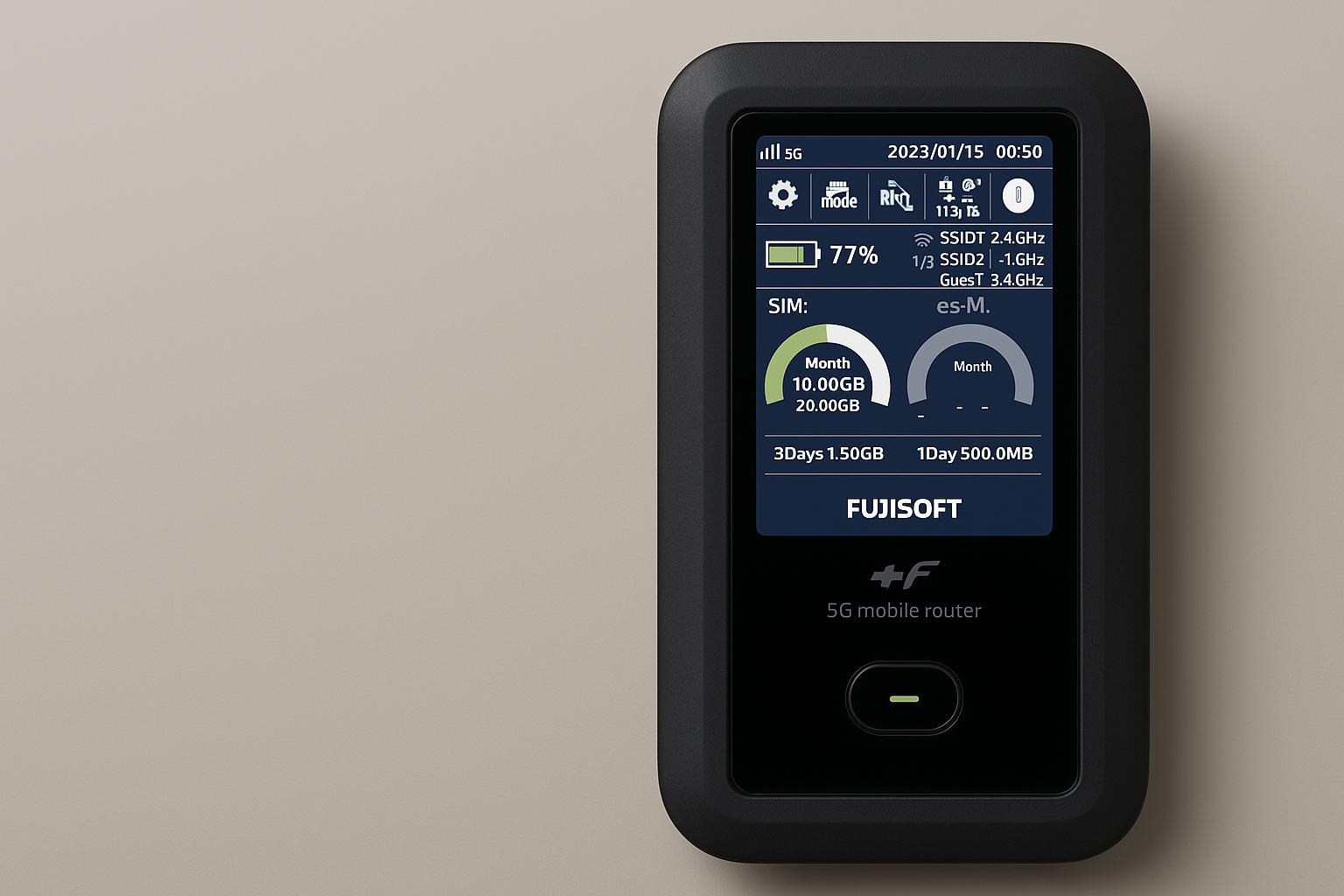
- Device: +F FS050W (SIM-free mobile router)
- Connection method: Wi-Fi (switchable between 2.4GHz and 5GHz)
While Rakuten Mobile’s connection quality varies depending on the area, where I live, the signal is strong even indoors.
By pairing it with a router that works simply by inserting a SIM card, I’ve created an environment where I have absolutely no trouble with everyday internet use—even without a fiber-optic connection.
Started with “5GHz” → But It Was Unstable for Some Reason…
When I first started using the router, I was connected to Wi-Fi on the 5GHz band.
While the connection speed was fast, I noticed some instability, such as:
- Page loading would occasionally freeze
- Videos would sometimes buffer
- The connection would drop due to distance or walls
Solution: Switching to 2.4GHz Made It Stable!
I tried switching to the 2.4GHz band, and it was surprisingly stable!
Although the speed dropped slightly, the connection no longer cuts out, and both watching videos and updating my blog are now a breeze.
Each frequency band has the following characteristics:
-
5GHz
・Faster connection speeds
・Best suited for short-range use
・Vulnerable to obstacles like walls and furniture -
2.4GHz
・Slightly slower connection speeds
・Signals travel farther
・Tends to remain stable even through walls
I found that 2.4GHz is more stable when using the router in a home with many walls or in a location far from the router.
The Mobile Router I’m Actually Using
This is the SIM-free mobile router I’m currently using.
You can switch Wi-Fi bands from the settings menu, and it’s very convenient that signal strength and remaining battery life are displayed on the screen.
It’s compact yet solidly built, and since it’s powered via USB-C, it can also be used as a stationary router.
The link above contains affiliate links.
How to Set Up the +F FS050W
This model is also very convenient for “desktop use.” Configuring the following settings will make your experience even more comfortable.
- It turns on automatically when connected to power via USB-C.
→ You don’t have to turn it on manually every time. - **You can set it to off for sleep mode.
→ Since the connection won’t drop even if left idle for long periods, it’s ideal for remote work and video streaming. - You can easily change the SSID, password, and Wi-Fi band (2.4GHz/5GHz) directly from the device’s menu.
→ You can do all of this directly on the device itself without having to log in to the settings screen.
It’s not just a mobile router—it’s also highly practical as a “simple home router”.
Key Points for Choosing a Mobile Router
If you want stable internet access with Rakuten Mobile, choosing the right router is important.
- Models that allow manual switching of Wi-Fi frequencies offer peace of mind
- Choose a model with easy-to-understand USB-C charging and tethering settings
- 5G-compatible models
In that regard, the +F FS050W packs all the necessary features into a compact design, making it ideal as your first device.
Summary: You Can Enjoy a Comfortable Online Experience Even with Rakuten Mobile
- Even without a fixed-line connection, Rakuten Mobile plus a router is more than enough for daily life
- If your connection is unstable, trying a 2.4GHz connection is the key
- By choosing a router and connection method that suits your environment, you can create a stress-free internet experience
In Closing
Concerns like “Will Rakuten Mobile be enough?” are often something you can’t truly know until you try it out for yourself.
However, my experience—where simply switching frequency bands stabilized the connection—is sure to be helpful to someone.
Why not make the most of mobile routers and budget SIM cards to enjoy a flexible and comfortable online experience?
Primary sources checked
Important claims should also link to the relevant source in the article body.